 PadVibe
Features
PadVibe is a pad-based soundboard with the controls live audio work needs: fast playback, hardware control, routing and an API.
Fast, predictable playback
Each file is decoded once and kept in memory, so triggering a pad does not wait on disk or on decoding. Playback and the waveform share the same decoded audio.
- Play, pause, resume, loop and seek on every pad, with a short fade-in that avoids clicks.
- Per-pad volume and a master volume, with a soft limiter on the master bus.
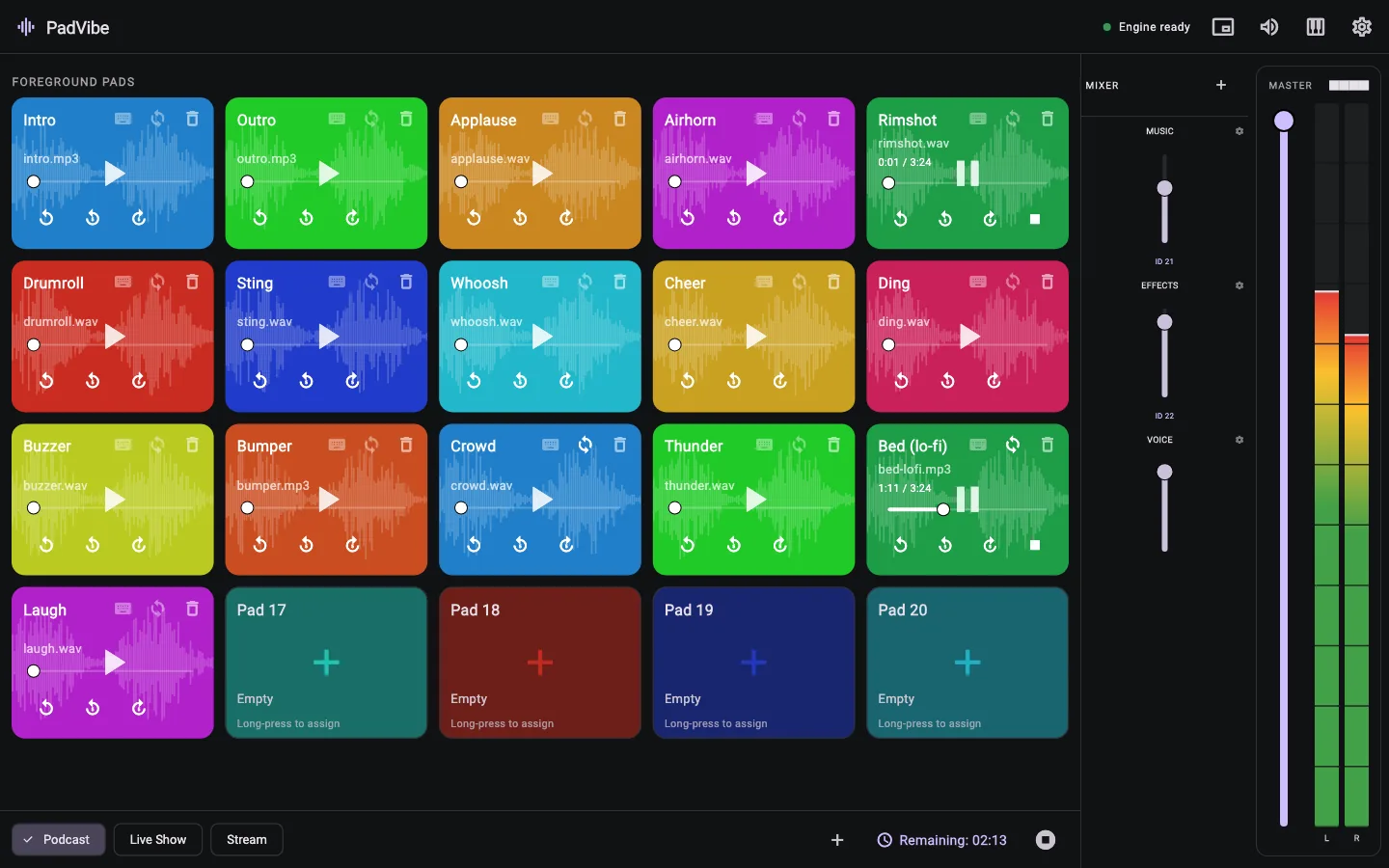
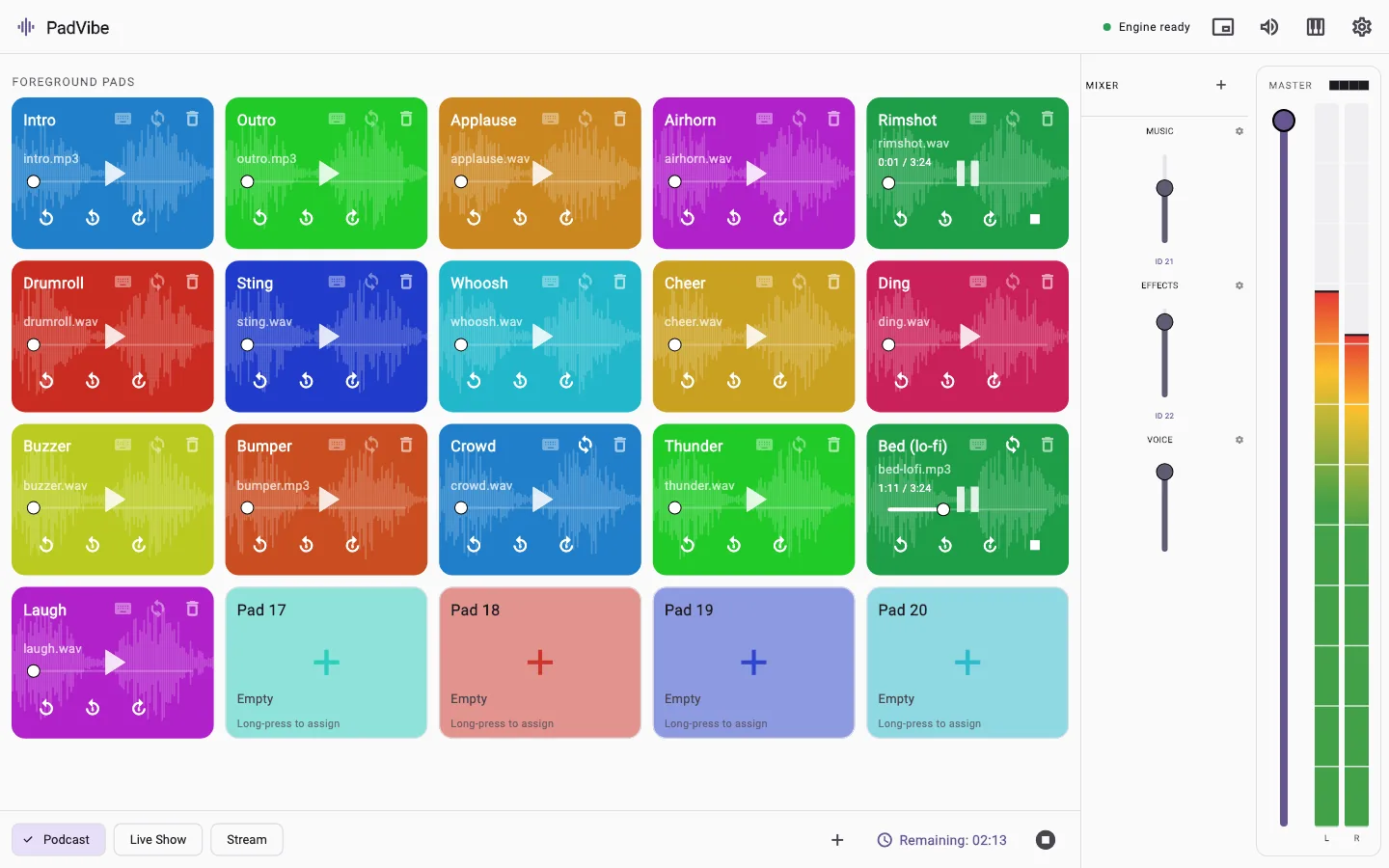
- Waveforms drawn on every pad, so you can see where you are.
- MP3, WAV, OGG and FLAC, including very long files, which stream from disk.
- Stops are immediate and the audio engine stays responsive when you hit pads quickly.
Play it however your hands prefer
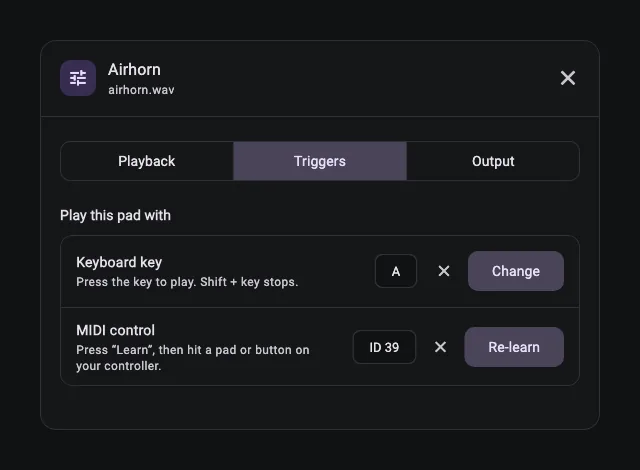
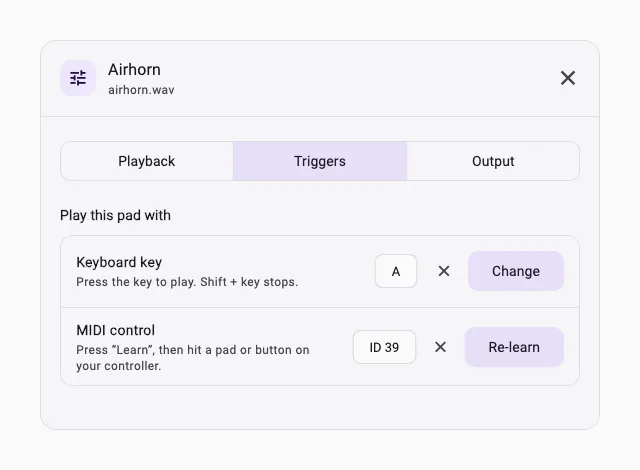
Pads respond to the mouse, the keyboard and MIDI. Everything for a pad is in a single Pad settings dialog with three tabs: Playback, Triggers and Output.
- Keyboard keys: press the key to play, hold Shift to stop.
- MIDI learn: press Learn, then hit a pad or button on your controller. Notes, control changes and program change messages all work.
- RODECaster Pro support: channel-aware trigger IDs, so pads on different MIDI channels stay separate.
- Mixer faders: create faders, link groups of pads to them, and map each to a hardware slider.
Send each pad where it belongs
Choose an output device for the whole app, then override it per pad. On a multi-channel interface you can pick the exact output channels for each pad.
- Per-pad output device: effects to the monitors, music to the stream.
- Channel mapping for interfaces with more than two outputs.
- Virtual devices such as BlackHole or VB-Cable let you feed PadVibe into OBS, Zoom or a DAW.
- If a device changes while the app is open, PadVibe re-resolves it and falls back to your system default instead of going silent.
Built for running a show
A few small things make a big difference when you are live.
- Tabs for scenes, episodes or segments, each with its own pads.
- Countdown timer that shows how much of the playing audio is left, with a detachable floating window.
- Background pads for long beds, kept out of the timer and the API.
- Level meters with independent left and right peak and RMS.
- Light and dark themes that follow your system.
- A responsive layout: the mixer tucks into a side panel when the window is narrow.
Connect it to the rest of your setup
PadVibe exposes what is happening, and lets other tools drive it. See the developer docs for every endpoint.
- Local HTTP API on port 9696: state, levels, timer, play, stop, volume, seek, tabs, faders, audio and MIDI devices.
- Webhook: PadVibe posts its full state as JSON to a URL you choose, about once a second.
- Timer overlay: a ready-made page for an OBS Browser Source, fed by a WebSocket.
- Works with anything that can open a URL, including automation tools and button decks.
An engine that looks after itself
PadVibe runs its audio and MIDI in a separate background process, so a problem there cannot freeze the interface.
- If the audio engine stops responding, PadVibe restarts it and reconnects automatically.
- Detailed logs are written for every launch, with crash dumps, so problems are easy to diagnose.
- Your files are copied into PadVibe's own library: moving or renaming the original never breaks a pad. Clearing a pad cleans up its copy.
- No network access is needed to use it.
Free to download. Ready in a minute.
No account, no subscription, no tracking. Install it, drop in a few sounds and hit a pad.