 PadVibe
Instant sound pads for podcasts, streams and live shows.
PadVibe is a free desktop soundboard. Drop in your audio, hit a pad, and it plays. Trigger it from the keyboard, a MIDI controller or a URL.
macOS, Windows and Linux · No account · MP3, WAV, OGG and FLAC
These sounds are synthesized in your browser. In PadVibe you play your own files.
*Depends on your audio interface and buffer. Measured at 21 to 63 ms on built-in, USB and virtual devices on macOS.
Everything a live audio rig needs, nothing it doesn't.
Built for people who trigger sound while doing something else: talking, streaming, running a show.
Instant playback
Audio is decoded once and played from memory, so a pad fires the moment you hit it. Loop, restart and seek any pad.
MIDI learn
Map any pad or fader to any MIDI note or control. RODECaster Pro pads are supported, and so are program change messages.
Mixer faders
Link groups of pads to a shared fader and drive it from one physical slider on your controller.
Output routing
Send each pad to its own audio interface or to specific channels. Built for multi-channel rigs.
Meters and limiter
Live left and right level meters with peak hold, and a soft limiter on the master bus so loud pads do not clip.
Local API
Read state, trigger pads and change volume over HTTP, get webhooks, and show a countdown in OBS.
Drop a file on a pad. That is the whole setup.
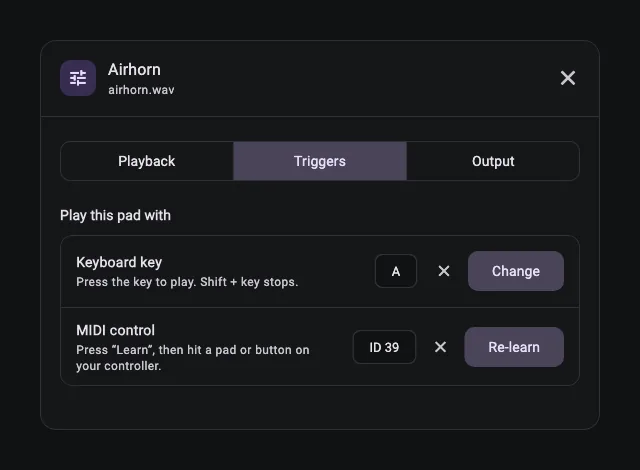
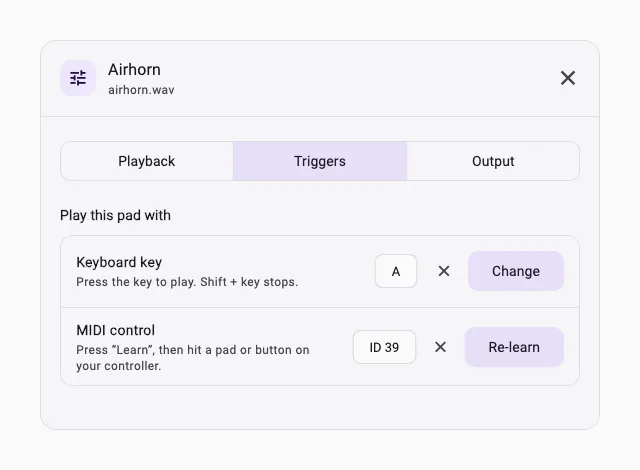
Each pad has a name, a colour, a loop switch and its own volume. Open Pad settings to set a keyboard key, learn a MIDI control, pick an output device or link the pad to a fader. Everything for one pad lives in one place.
- Drag and drop files straight onto pads, or pick several at once.
- Keyboard keys and MIDI for hands-free triggering.
- Tabs keep a whole show organised: one bank per scene or episode.
- Background pads stay out of the API and the countdown, ideal for long beds.
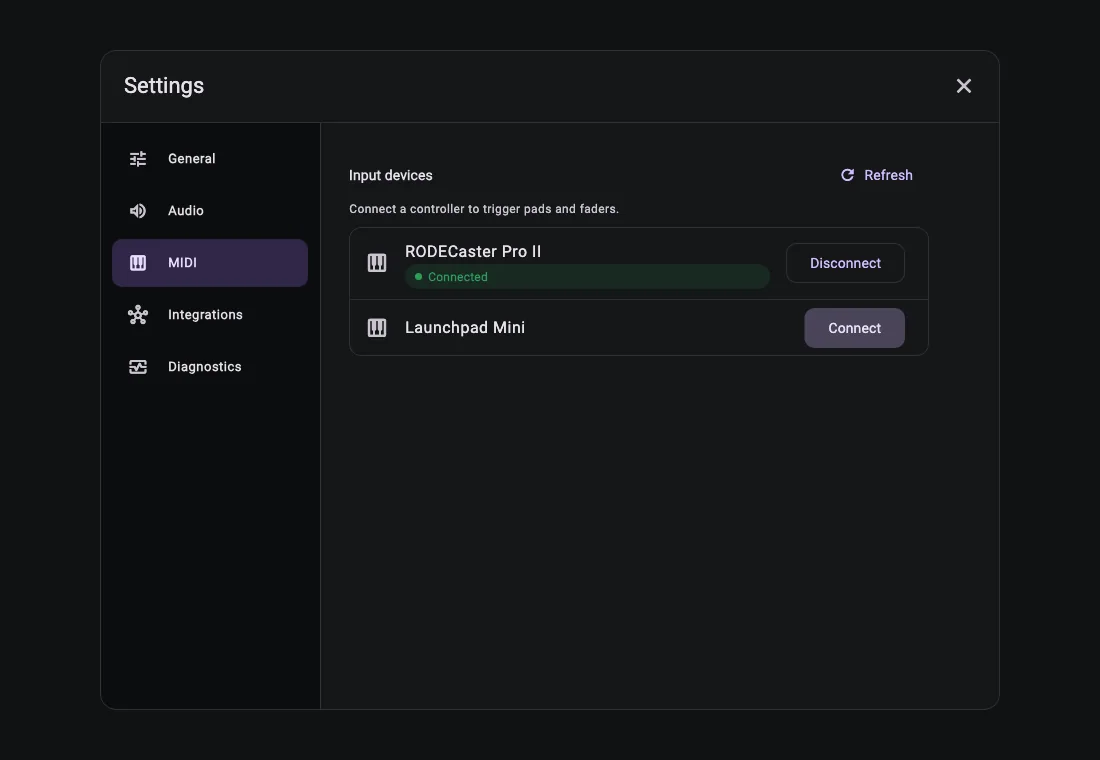
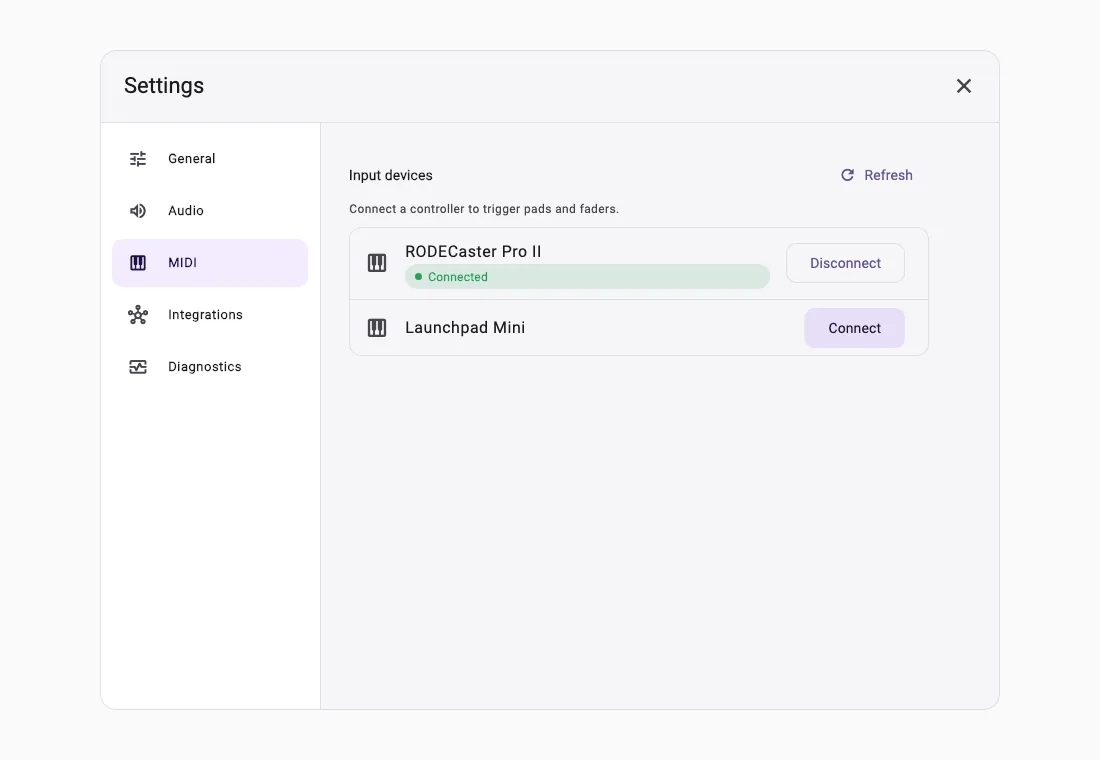
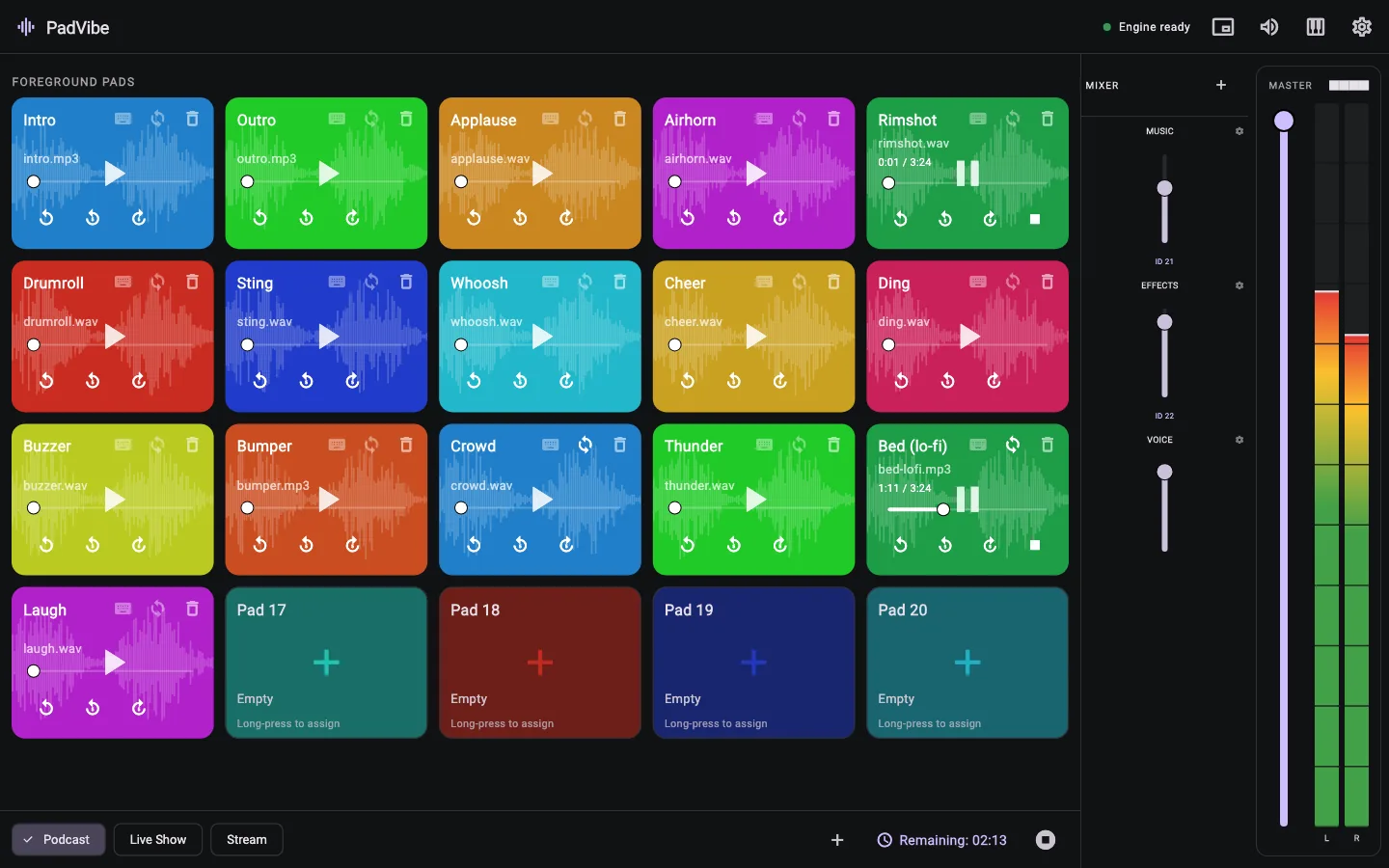
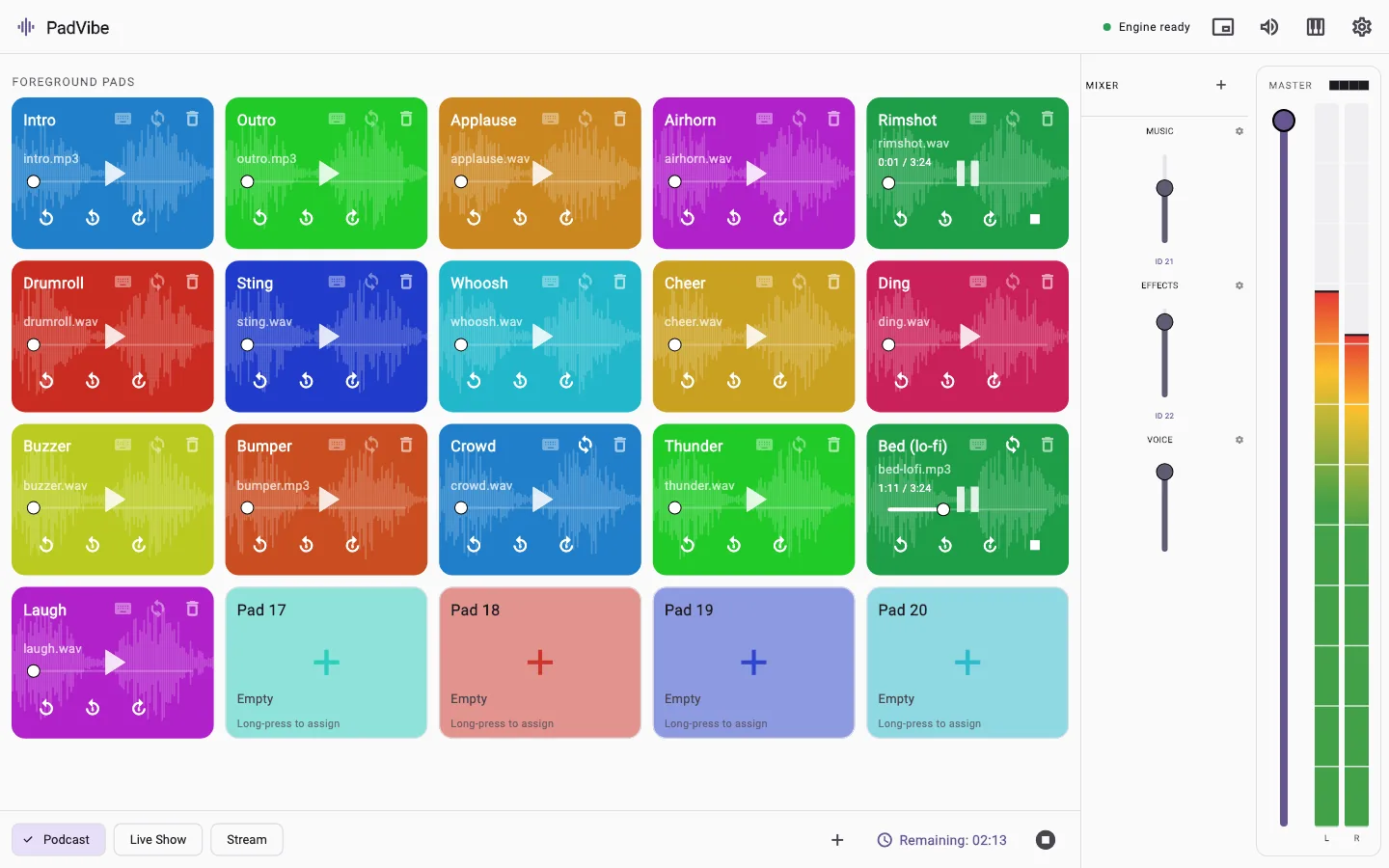
A clear interface, in light or dark.
Settings are grouped into General, Audio, MIDI, Integrations and Diagnostics. The layout adapts from a small window to a full screen, and the theme follows your system or your choice.
- Responsive layout that rearranges as the window changes size.
- A built-in Diagnostics view shows the audio engine status and where the logs are.
- The audio engine restarts itself if it ever stops responding.
Made for people who play sound live.
From download to first sound in three steps.
Add your sounds
Drag audio files onto pads. PadVibe keeps its own copy, so moving the original never breaks a pad.
Choose your triggers
Set a keyboard key, or press Learn and hit a button on your MIDI controller.
Play
Click, press or tap. Route each pad to the right output and balance everything with faders.
Control it from anything that can open a URL.
PadVibe runs a small HTTP server on your machine. Read the full state, trigger pads, set volumes, switch tabs, or have PadVibe post its state to your own webhook. It also serves a countdown overlay you can drop into OBS as a Browser Source.
# read the live state
curl http://localhost:9696/state

# play the first pad, then stop everything
curl http://localhost:9696/play/0
curl http://localhost:9696/stop_all

# set the master volume to 60%
curl http://localhost:9696/volume/master/0.6Questions, answered.
What is PadVibe?
PadVibe is a free desktop soundboard. You drop audio files onto pads, then play them with a click, a keyboard key, a MIDI controller or a URL. It is built for podcasters, streamers and live shows.
Is PadVibe free?
Yes. PadVibe is free to download and use, with no account, subscription or ads. The source code is public on GitHub.
Which systems does it run on?
macOS (Apple Silicon and Intel), Windows 10 and 11 (64-bit) and Linux (64-bit). The downloads are on the download page.
Which audio formats can I use?
MP3, WAV, OGG and FLAC.
Does it work with MIDI controllers?
Yes. Use MIDI learn to map any pad or mixer fader to any MIDI note or control change. It was built with RODECaster Pro pads in mind, and it also understands program change messages.
Can I send sound to OBS, Zoom or my mixer?
Each pad can use its own output device, and on multi-channel interfaces its own channels. To send PadVibe into another app, choose a virtual audio device such as BlackHole on macOS or VB-Cable on Windows as the output and capture that in the other app.
How fast is it?
Audio is decoded once and then played from memory, so a pad starts as soon as you hit it. Output latency is typically 20 to 60 milliseconds, depending on your audio interface.
Does it record or collect my data?
No. PadVibe only plays audio. It has no account system and no analytics. Your sounds and settings stay on your computer. See the privacy page.
Free to download. Ready in a minute.
No account, no subscription, no tracking. Install it, drop in a few sounds and hit a pad.